
Overview & Goal:
The Data Consistency Report (DCR) helps identify potential data inconsistencies across your NICU records. The goal is to review, update, and confirm corrections so that the Data Center can validate and resolve each issue. Accurate resolution ensures reliable reporting and benchmarking across CPQCC. This is also a deliverable (Item 12) in each year's data finalization process and with resolutions due by June 1st.
Accessing the Data Consistency Report:
Log into the NICU Data site and select the relevant year.
Navigate to Data Reports → Type: Data Consistency Report → Generate Report
Or via Close-Out Checklist → Item 12 resource link “Review DCR.”
Adding Comments & Resolving Issues:
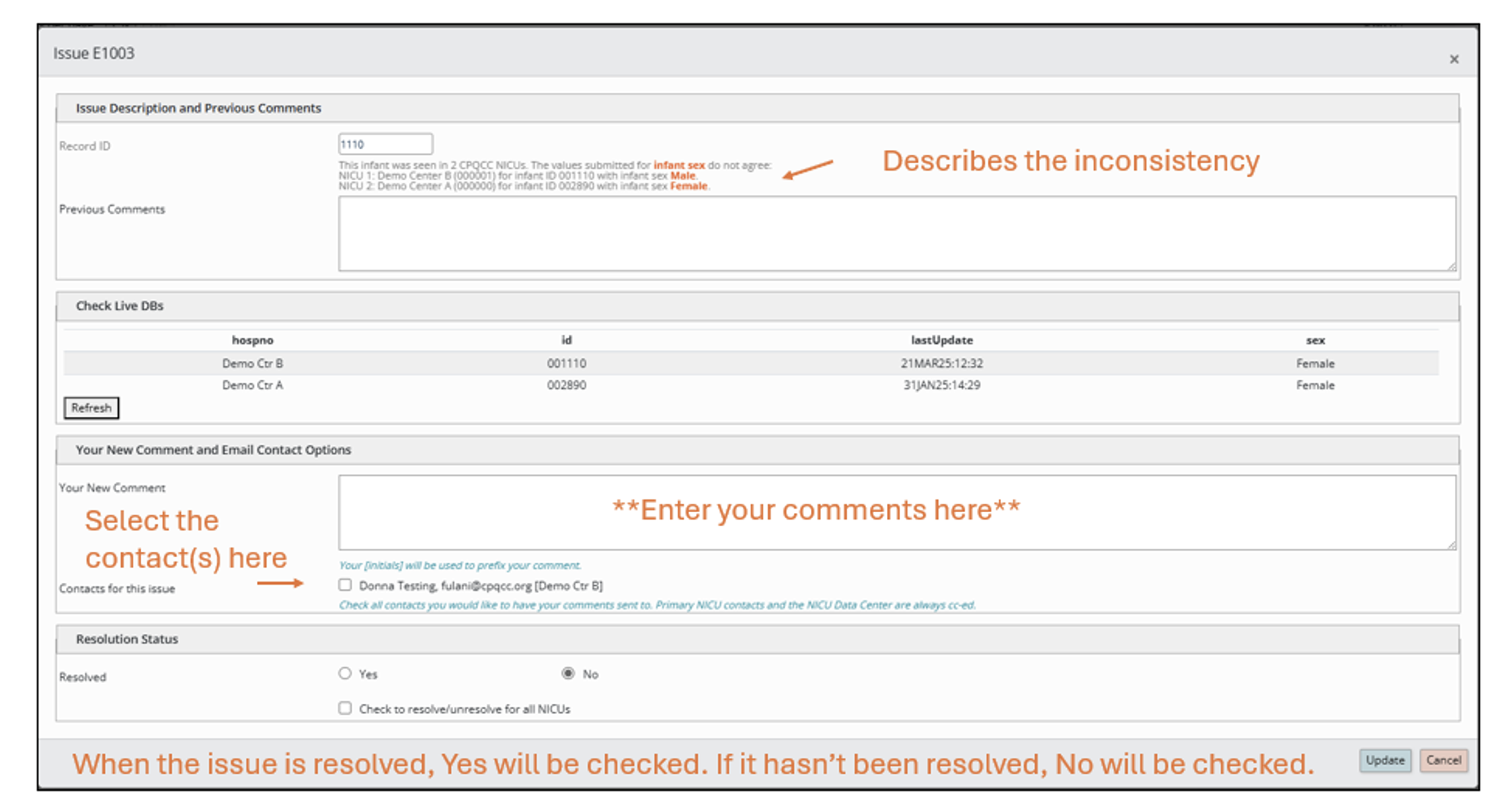
Open your DCR report and locate the potential inconsistency you want to address.
Click Review (or Edit) next to the case.
Enter your comment in the comment box to document updates or actions taken.
If other NICUs are involved, click the radio button next to their names to share your comment with them.
The Data Center will review your comment:
If updates are complete and accurate, the case will be resolved.
If further action is needed, the Data Center will respond or leave the case unresolved.
Click Update to save your comment.

Tips for Success:
Make sure all inconsistencies listed in the DCR are addressed.
Adding a comment is required for the Data Center to provide feedback and officially resolve the case.
Regularly check your DCR to ensure all potential issues are reviewed before finalizing your NICU data.