Keeping the Directory Up to Date
Each member hospital is responsible for keeping its CPQCC Member Contact Directory current as personnel change. CPQCC relies on this directory for data-related questions, invoicing, and routine outreach. Updating the Member Directory is a mandatory annual requirement and must be reviewed and confirmed by February 1 as part of data finalization deadlines.
How to Update Your Hospital’s Information
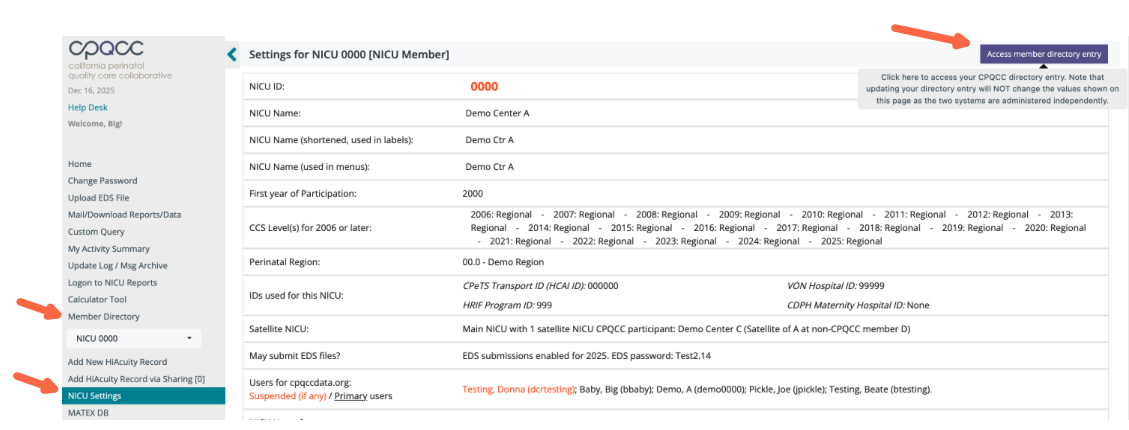
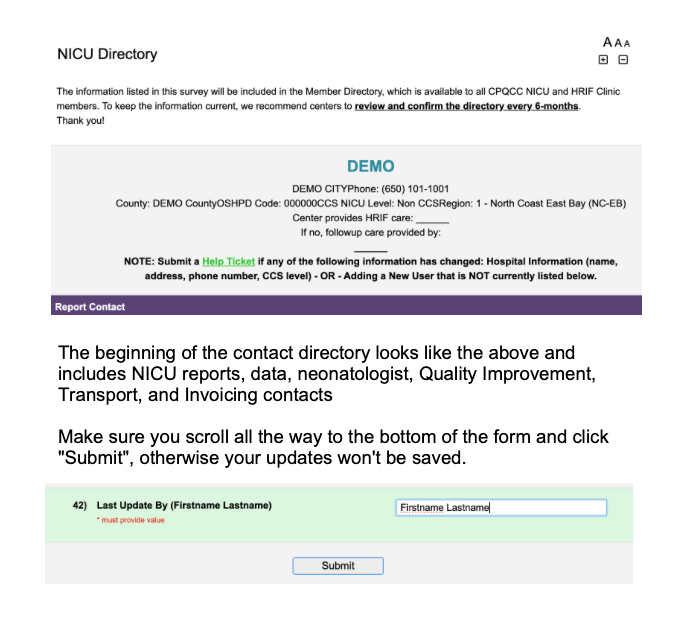
Log in to cpqccdata.org, navigate to the NICU Setting Page, and click “Access Member Directory” in the top-right corner of the page. When updating the form, scroll to the bottom, add your name, and click Submit to confirm your updates.
How to Find Another Hospital’s Contact Information
To contact another member hospital, log in to cpqccdata.org and select Member Directory from the left-side navigation panel.